JAMB Mop-Up Slip Printing Procedure for UTME Candidates
Have you been selected to take the 2026 JAMB mop-up UTME? If your answer is yes, then one of the first things you need to do is print your JAMB mop-up examination slip. This slip is an important document because it tells you everything you need to know about your examination.
Your JAMB mop-up slip contains important details such as your examination date, time, CBT centre, venue address, registration number, and other instructions you must follow on the day of the examination. You'll need these details to know when and where you're expected to sit for the mop-up UTME.
Below in this post, we'll show you the step-by-step procedure for printing your JAMB mop-up slip. We've also explained what to do if you're unable to print the slip and other important information you should know before your examination. Be sure to read through carefully so you don't miss any important details.
How to Print Your JAMB Mop-Up Examination Slip
Once JAMB announces that the mop-up examination slip is available, eligible candidates should print it as soon as possible. The slip contains your examination details, so it's important to print and review it well before your exam date to avoid any last-minute surprises.
Follow the steps below to print your JAMB mop-up examination slip:
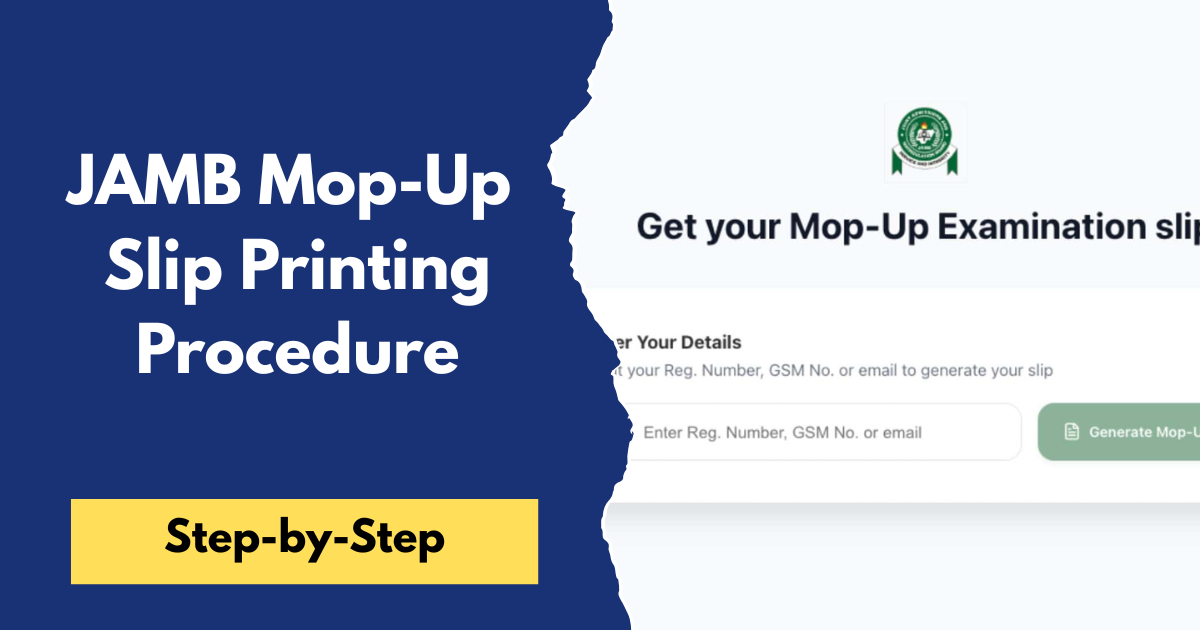
- Visit the official JAMB Mop-Up Slip Printing Portal: JAMB Mop-Up Slip Printing Portal.
- Enter your JAMB Registration Number in the space provided. If required, you may also be asked to provide the email address or phone number linked to your JAMB profile.
- Click the "Print Examination Slip" button.
- Wait for the portal to retrieve your examination details.
- Once your slip appears, carefully check all the information displayed, including:
- Your name and registration number
- Examination date
- Examination time
- CBT centre name and address
- Other instructions for the examination day
- If all the details are correct, click the Print option to print the slip. If you don't have immediate access to a printer, save the slip as a PDF and print it later at a business centre or cyber café.
After printing your slip, keep it in a safe place and consider printing an extra copy as a backup. You should also read every instruction on the slip carefully and make plans to arrive at your assigned CBT centre early on the day of the examination.
I'll keep both sections practical and in your usual conversational style.
What to Do If You Can't Print Your JAMB Mop-Up Slip
If you're unable to print your JAMB mop-up slip, don't panic. In most cases, the problem can be resolved by checking a few things or trying again later.
- Confirm that you're eligible for the mop-up examination. Only candidates selected by JAMB can print the mop-up examination slip.
- Ensure you've entered the correct details. Double-check your JAMB Registration Number or any other information required on the portal.
- Refresh the page or try again later. If the portal is busy or temporarily unavailable, wait a while and try again.
- Use a different browser or device. Sometimes, switching to another browser or using a computer instead of a phone can resolve the issue.
- Visit an accredited CBT centre or cyber café. If you're still unable to print the slip, seek assistance from an accredited CBT centre or a trusted business centre.
- Contact JAMB for support. If the problem persists, visit the nearest JAMB office or contact JAMB through its official support channels for assistance.
Remember to resolve any printing issues before the examination date to avoid unnecessary stress or missing your scheduled mop-up examination.
Frequently Asked Questions (FAQs)
Is the JAMB mop-up slip compulsory?
Yes. The examination slip is compulsory because it contains your examination date, time, CBT centre, and other important instructions you'll need on the day of the examination.
Can I print my mop-up slip with my phone?
Yes. You can use a smartphone to access the slip printing portal. If you're unable to print directly from your phone, you can save the slip as a PDF and print it later at a business centre or cyber café.
What should I do if my examination details are incorrect?
If you notice any incorrect information on your examination slip, contact JAMB or visit the nearest accredited CBT centre or JAMB office for guidance before your examination date.
Can I print my mop-up slip more than once?
Yes. You can reprint your examination slip whenever necessary, provided the slip printing portal is still open.
What happens if I miss the mop-up examination?
Candidates who fail to appear for the mop-up examination on the scheduled date may not be given another opportunity to take the examination. You should therefore print your slip early and attend the examination as scheduled.
We hope this guide has made the process easy to understand. If you found this article helpful, share it with other candidates who will be taking the JAMB mop-up examination. If you have any questions or need further clarification, leave a comment below, and we'll be happy to help.
Also, don't forget to explore our website for more JAMB guides, admission updates, Post-UTME news, and other education-related articles to stay informed throughout the 2026 admission exercise.